Property review
Discuss entrances, driveways, outdoor spaces and other areas you want included in the camera plan.
SMARTHOM CO. · MIAMI-DADE
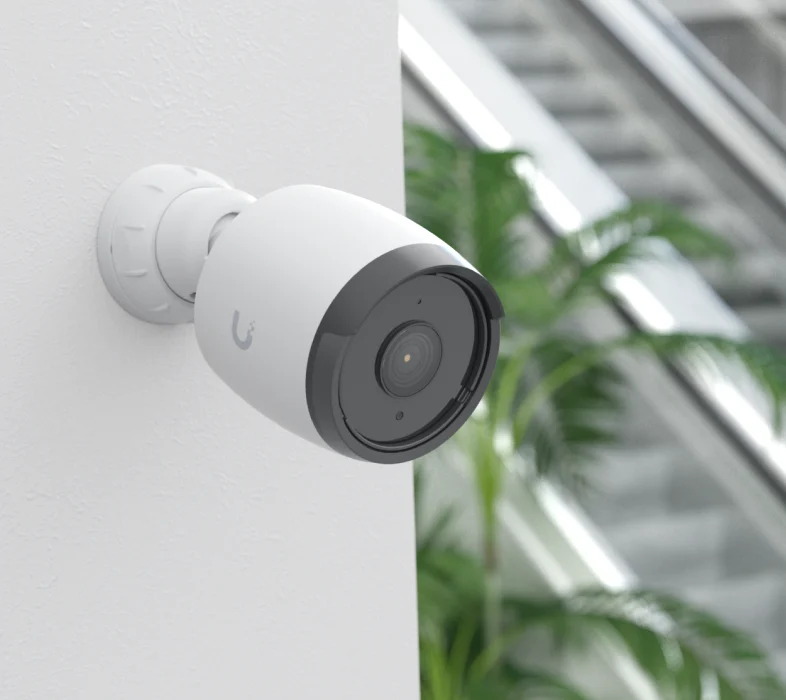
We design, install and service Ubiquiti UniFi Protect camera systems around your home. Camera positions, recording equipment and network connections are selected for the areas you want to see.
PLANNED AROUND YOUR PROPERTY
Your proposal confirms equipment, installation requirements and pricing before work begins.
Discuss entrances, driveways, outdoor spaces and other areas you want included in the camera plan.
Choose compatible equipment and mounting positions around sightlines and installation conditions.
Plan and install the agreed cable routes and network connections for the camera system.
Select compatible recording equipment and configure storage and recording settings within the agreed scope.
Configure access for agreed users and test live viewing and recorded playback.
Show you how to view cameras, find footage and use the controls configured for your installation.
HOMEOWNERS FIRST
Camera planning for entrances, driveways and the parts of your home and grounds you want to see.
Troubleshooting, configuration review or an upgrade to equipment already installed at your property.
Camera installations scoped around shared spaces, building requirements and agreed viewing access.
Camera placement, recording and viewing setup planned around your premises and installation requirements.
FROM PLANNING TO HANDOVER
Tell us about the property, areas you want to see and any existing cameras or network equipment.
Review camera locations, equipment, recording requirements, cable routes and pricing before installation.
Mount the agreed cameras, connect cabling and configure recording and viewing access.
Test camera views and playback, then walk you through the configured controls and recording settings.
INSTALLATION & EXISTING SYSTEMS
In a typical on-site UniFi Protect installation, recordings are stored on the selected UniFi console or recorder. Remote viewing uses an internet connection and configured user access. Storage capacity, recording settings and camera features depend on the equipment in your plan; we confirm these and test viewing before handover.
Yes. We review cameras, recording equipment, network connections and the issue you are experiencing. We define the troubleshooting, repair or upgrade scope before making changes. Service visits are quoted separately.
We assess the equipment and connections in place, then identify what is suitable for the planned camera system. Retained equipment and necessary changes are included in the agreed scope.
Selection follows the viewing goal, mounting location, lighting, exposure and installation requirements. We confirm the suitability and features of proposed equipment rather than treating every camera as suitable for every location.
The proposal defines compatible recording equipment and storage around the camera count and recording requirements. We discuss how you want to use and review footage before selecting the setup.
We can review an expansion or configuration change. Existing equipment, available connections and system capacity determine the work needed, which we confirm before proceeding.
Share the property type, areas you want included, existing equipment and any problems with the current system. Plans or a list of entrances and outdoor spaces can help us discuss the installation scope.
LET’S DEFINE YOUR SCOPE
Discuss a new Protect installation, a planned upgrade or a system that needs attention at your Miami-Dade property.